Data Privacy
The Data Privacy page provides GDPR compliance tools for searching stored personal data and executing erasure requests.
All erasure operations are permanent and irreversible. Erased data cannot be recovered.
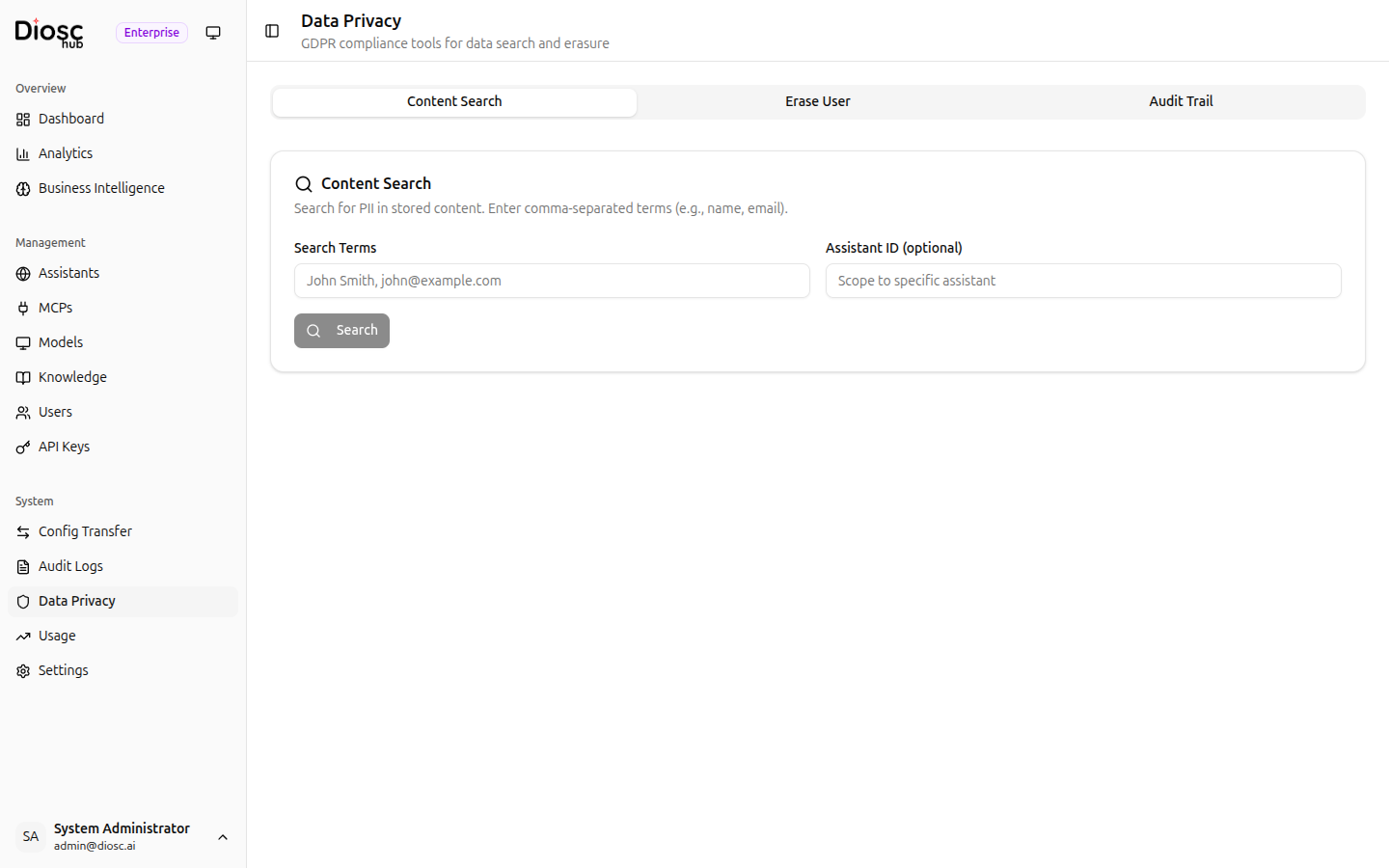
The page has three tabs: Content Search, Erase User, and Audit Trail.
Content Search Tab
Search for personally identifiable information (PII) across all stored content, then selectively erase the resources that contain it.
Searching for PII
- Enter one or more search terms in Search Terms, separated by commas.
Example:
John Smith, john@example.com - Optionally enter an Assistant ID to scope the search to a single assistant.
- Click Search.
Results are grouped by resource (session or file). Each group shows:
- Resource type badge
- Resource ID
- Matched content snippets (up to 3 per group, with a "… and N more" count)
- Total hit count
Executing Erasure
- Click one or more result groups to select them (highlighted in red with a checkbox).
- Click Erase N Selected.
- Confirm the irreversible action in the confirmation dialog.
After erasure, a summary card shows per-resource results:
| Status | Description |
|---|---|
| Succeeded | Resource was fully deleted or anonymized |
| Partial | Some steps completed, others failed |
| Failed | Erasure could not be completed |
Each result also shows granular step details (what was deleted, anonymized, or skipped) and the total duration.
Erase User Tab
Permanently erase all data associated with a specific user — satisfying the right to erasure under GDPR Article 17.
What Gets Erased
- All chat sessions for the user
- All uploaded files associated with the user
- RAG content — document chunks indexed for that user
- Usage data records
Remaining references are anonymized rather than deleted outright, to preserve system integrity.
Running an Erasure
| Field | Description |
|---|---|
| Assistant ID | UUID of the assistant where the user had conversations |
| External User ID | The user's identifier from your system, as passed in auth headers |
| Reason (optional) | Audit note — e.g. "GDPR Article 17 request by user on 2026-03-15" |
Click Erase User Data and confirm the dialog. The result card shows each deletion step and its status.
Audit Trail Tab
A record of all data privacy operations performed through this page.
Click Load (or Refresh) to retrieve the latest 50 entries. Each entry shows:
- Event type badge
- Description of the operation
- Admin user who performed it
- Timestamp
The data privacy audit trail is append-only and is separate from the main Audit Logs.
Next Steps
- Audit Logs — Full administrative action history
- Users & API Keys — Manage portal users and access