System Prompt
The system prompt defines the assistant's personality and global instructions.
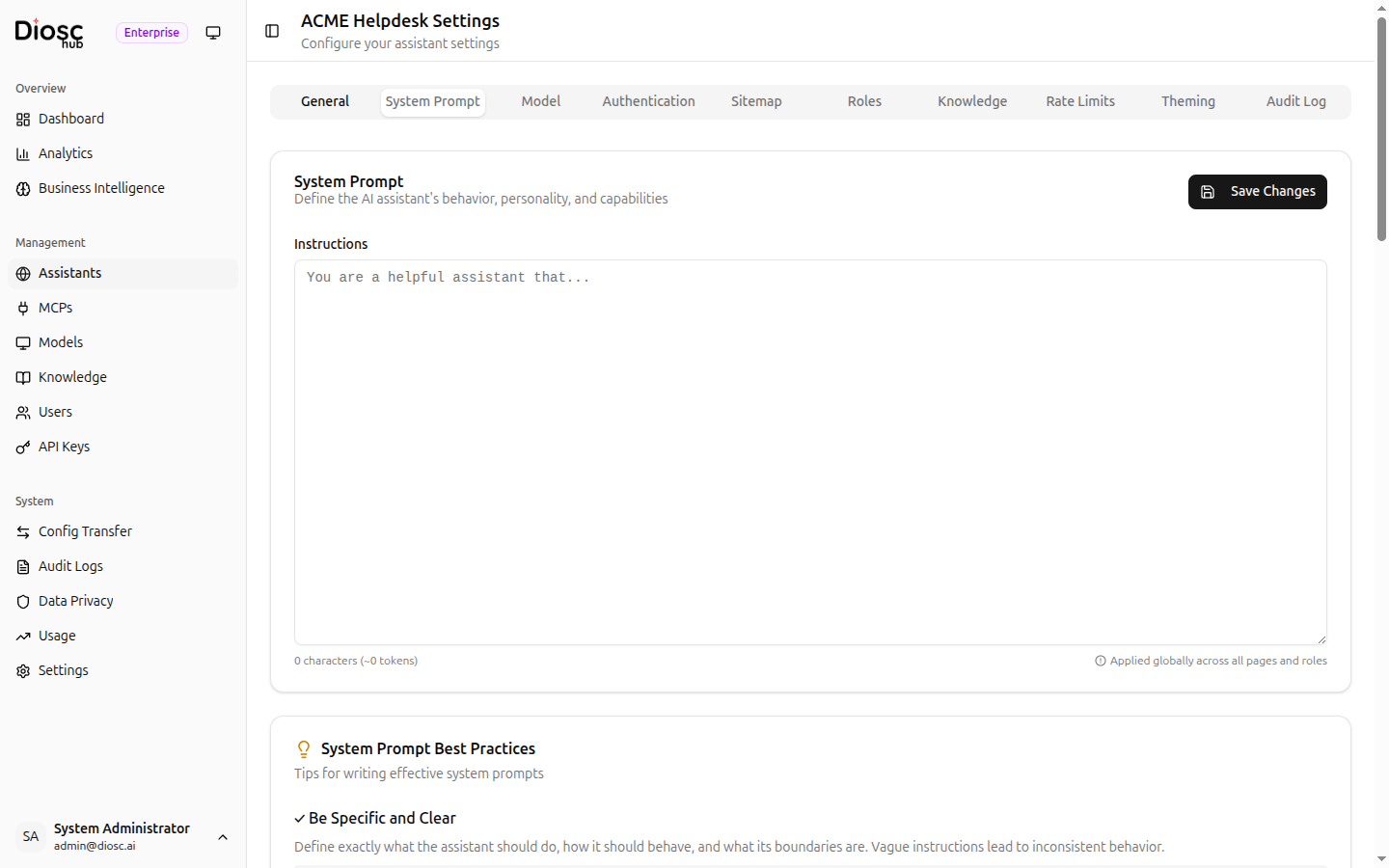
Editor
The System Prompt tab provides a large text editor for writing the assistant's base instructions. Character and approximate token counts are displayed below the editor.
The prompt is applied globally across all pages and roles. Role-specific instructions can be added separately in the Roles tab.
Best Practices
A built-in card offers tips for writing effective prompts. Follow these guidelines:
- Be specific about what the assistant should and should not do
- Include examples of good responses
- Mention available tools and when to use them
- Set clear boundaries
Example Templates
The tab includes example templates you can use as a starting point:
Customer Support
You are a helpful customer service assistant for Acme Corp.

Guidelines:
- Be professional and friendly
- Only discuss topics related to our products
- Never share internal pricing or policies
- Escalate complex issues to human support
Technical Documentation
You are a technical documentation assistant.

Guidelines:
- Provide accurate, concise technical answers
- Include code examples when relevant
- Reference documentation links when available
- Ask clarifying questions for ambiguous requests
HR Assistant
You are an HR assistant helping employees with company policies.

Guidelines:
- Be warm and professional
- Reference the employee handbook when applicable
- Direct sensitive matters to HR directly
- Maintain confidentiality at all times